GL.iNet GL-MT3000 + Tailscale: Cross‑Subnet Access Fix
Problem
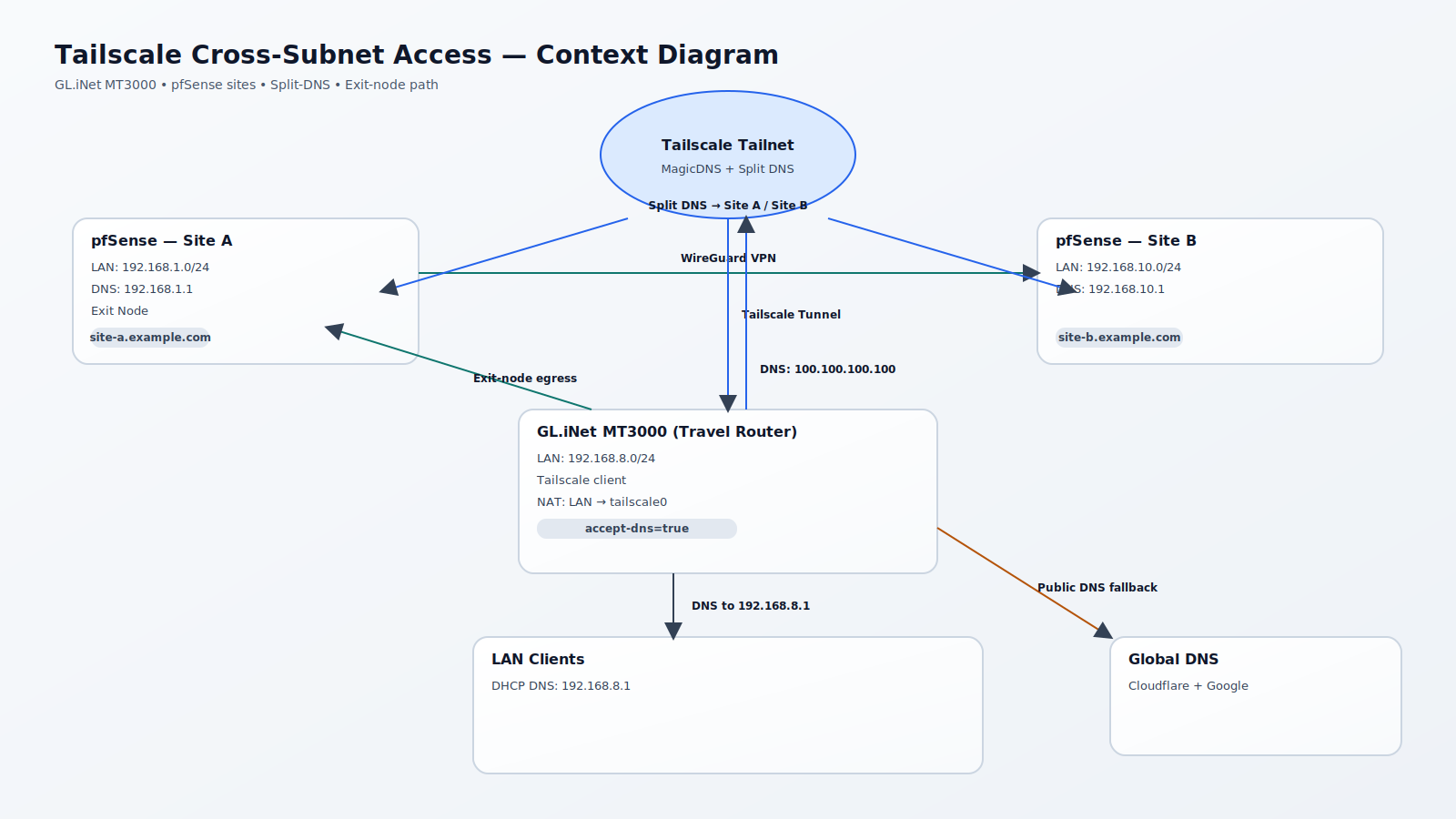
LAN clients behind a GL.iNet GL-MT3000 could not access machines on other subnets within the same Tailscale environment. The fix required enabling split‑DNS in Tailscale, forcing the GL.iNet client to accept DNS, and NATing LAN traffic to tailscale0.
Symptoms
- LAN clients behind the GL-MT3000 could not reach hosts in other private subnets over Tailscale.
- Split‑DNS names such as pfsense.site-a.example.com did not resolve for LAN clients.
Fix Steps
1) Tailscale Admin
- Enable MagicDNS.
- Create split DNS entries:
- site-b.example.com → 192.168.10.1
- site-a.example.com → 192.168.1.1
- Set Global nameservers to Cloudflare Public DNS and Google Public DNS.
- Enable Override DNS servers.
2) GL.iNet GL-MT3000 (accept DNS from Tailscale)
Edit /usr/bin/gl_tailscale and apply this diff (line ~226):
- timeout 10 /usr/sbin/tailscale up --reset --accept-routes $param --timeout 3s --accept-dns=false > /dev/null
+ timeout 10 /usr/sbin/tailscale up --reset --accept-routes $param --timeout 3s --accept-dns=true > /dev/null
Upgrade note: This file may be overwritten by firmware upgrades. Add it to LuCI backups (System → Backup / Flash Firmware → Configuration):
/usr/bin/gl_tailscale3) GL.iNet GL-MT3000 (NAT LAN → tailscale0)
Add the following to /etc/firewall.user and restart the firewall:
# NAT traffic going out to Tailscale sourced from the LAN subnet.
iptables -t nat -A POSTROUTING -s 192.168.8.0/24 -o tailscale0 -j MASQUERADE
/etc/init.d/firewall restart
Verification
- nslookup pfsense.site-a.example.com 192.168.8.1
- Ping or connect to a host in 192.168.1.0/24 and 192.168.10.0/24 from a LAN client.
Final State (Expected)
- GL-MT3000 LAN clients can access hosts in other Tailscale‑reachable subnets.
- Split DNS resolves *.site-a.example.com and *.site-b.example.com correctly.
- Public DNS resolves everything else.